Practice-approved voice
Respond consistently
Start with a thoughtful response in your practice’s approved voice instead of a blank page.
BizClarity writes thoughtful replies in your dental practice’s voice, flags sensitive reviews for a manager, and turns recurring patient feedback into one useful weekly action.
Patients read the reviews. They notice your response.
“The hygienist was kind and explained everything clearly. I felt comfortable the whole visit.”
Thank you for sharing this, Maya. We’re glad our team helped make your visit feel comfortable and clear.
BizClarity prepares the response, pauses when judgment matters, and shows your team exactly what to do next.
Start with a thoughtful response in your practice’s approved voice instead of a blank page.
Flag billing, privacy, safety, legal, or highly emotional reviews for an authorized person.
Turn recurring praise and friction into one useful weekly practice action.
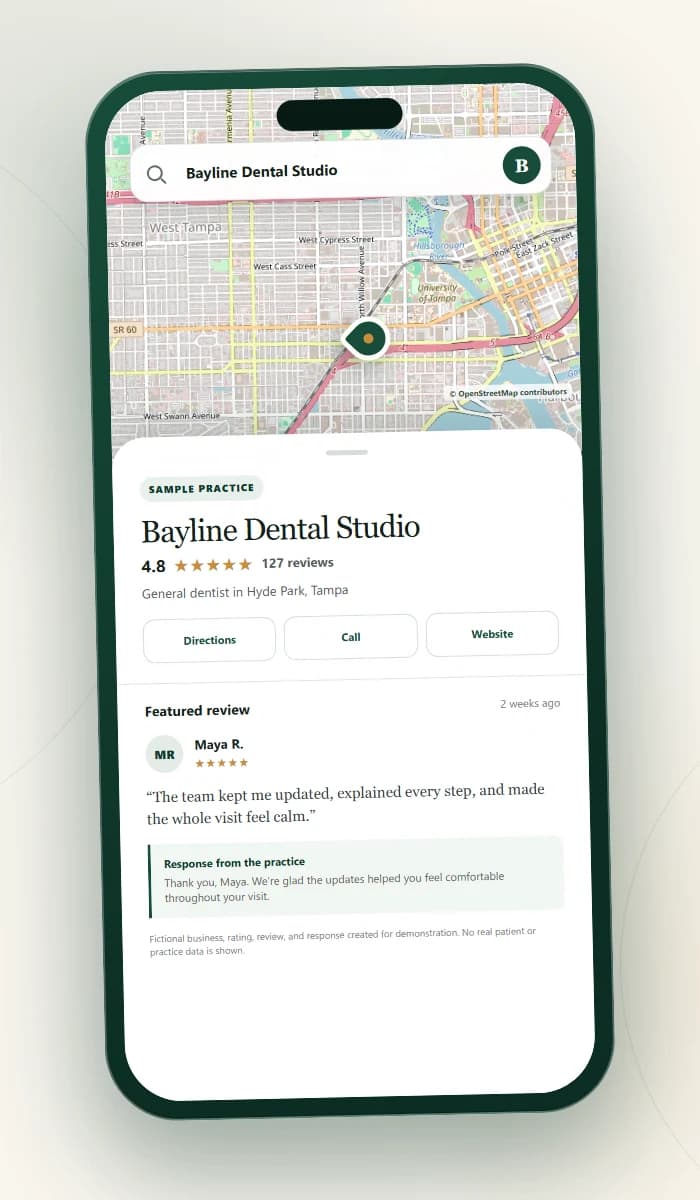
“The team kept me updated, explained every step, and made the whole visit feel calm.” Maya R., fictional reviewer
Sample practice response: “Thank you, Maya. We’re glad the updates helped you feel comfortable throughout your visit.”
Map data © OpenStreetMap contributorsReviews come in, BizClarity prepares the next step, and an authorized person decides what happens.
Google reviews arrive in one organized place, ready for the next step.
Routine responses match your practice voice. Sensitive reviews are flagged for a person.
Approve, edit, choose not to reply, or send the review to a manager.
See how the recommended action changes for praise, mixed feedback, billing concerns, and urgent language.
Sample data only. Nothing is saved or posted to Google.
Open the full sample →Open the full sample to approve, edit, choose not to reply, or send a review to a manager.
Each week, BizClarity shows what patients appreciated, what problem appeared more than once, and one practical action for the practice.
I’m Charles Neitzel, founder of BizClarity Insights in Tampa Bay. I have spent nearly two decades improving business processes for startups and large organizations, including consulting at KPMG.
I work directly with each founding practice to set the response voice, approval process, and sensitive-review handoff. The goal is practical support, not AI hype or careless automation.

Billing, privacy, safety, legal, and highly emotional reviews may need private context. BizClarity flags them instead of treating every review the same.
See how access and approval work →An authorized person reviews every public response before anything posts.
Sensitive reviews leave the routine path and show the recommended private next step.
Your team can distinguish a draft, approval, posting attempt, confirmed post, or failure.
The founding program combines review response support, a weekly patient feedback summary, and direct help from Charles.
Your exact location scope is confirmed before purchase. No purchase or Google connection happens until the written scope is clear.
See how the workflow works before sharing access or making a commitment.
Prospective patients can see both the review and your response. A careful reply shows how your team communicates, while choosing not to discuss a sensitive issue publicly can show good judgment.
No. Email and secure approval links are designed for the daily decisions. The dashboard keeps history, settings, and deeper review available when you need it.
No. Human approval is the default. Sensitive reviews stay outside routine approval and go to an authorized person.
No practice-management or clinical-record integration is required. BizClarity works with Google review content and response guidance approved by your practice.
Charles helps connect Google securely, calibrate your practice voice, identify approvers, map sensitive-review escalation, and test the first example with your team.
Charles will walk through the response, attention flags, and human approval path BizClarity is designed to support.